Notes for my future self on how to set up a camera for streaming
My poor Sony a6100 camera (with a Sigma 30mm lens) died on me this week. It served me well for over 6 years! I replaced it with my husband’s a6400 that he wasn’t using anymore, and because of various adjustments on my desk that I made at the same time, I ended up having to swap lenses too.
So, this is now my current video setup:
- Sony a6400 camera
- Sigma 16mm lens
- Elgato Prompter + Camera Hub software
- Elgato Flex Arm (to hold everything up)
Setting up my camera was a pain because I couldn’t pull in settings (or even see them) from my older camera, so I had to do it all from scratch. This is me writing everything down for any pour soul who also has to deal with this… which could also be future me.
“Basic” settings for streaming
I copied this man’s video for a lot of my settings.
I set the camera mode to Video Mode (the top wheel on top of the camera, not any of the photo modes or manual modes).
After that, settings time, hit Menu and then:
- Camera Settings 1 (the red icon), on page 5, set Focus Mode to Continuous AF
- Camera Settings 2 (the purple icon)
- On page 1, set Exposure Mode to Manual Exposure, File Format to XAVC S 4K, and Record Setting to 30p 60M
- On page 2, set AF drive speed to Fast, and AF Tracking Sens. to Responsive. I don’t touch the audio settings because I have this connected to a computer!
- Setup Settings (the yellow icon)
- On page 2, set Auto Power OFF Temp. to High
- On page 4, go to HDMI Settings and set HDMI Resolution to 1080p
The framing
The 30mm lens was wonderful, I liked it, but with the way I had reconfigured parts of my desk, it was just a bit too zoomed in on my face. I couldn’t get everything perfectly framed again, for some reason.
So, with the 16mm lens, it worked, but it was VERY wide and you could see too much of my room. Sony has a really great built-in feature to their cameras called Clear Image Zoom that crops things while continuing to output 1080p resolution.
To set that up, press Menu, then go to the purple Camera Settings 2, then page 5 of that page. Select Zoom Setting and change it to Clear Image Zoom, and then select Zoom to adjust the zoom. Blammo!
The colors
I could not get my colors to be what they were on the previous camera, but it got close! I had to go to the red Camera Settings 1 page 11, and then poke around with the White Balance (NOT auto, auto made it change too much) and Creative Style (…my very boring setting there is Standard but there were some nice other ones, too).
Before and after
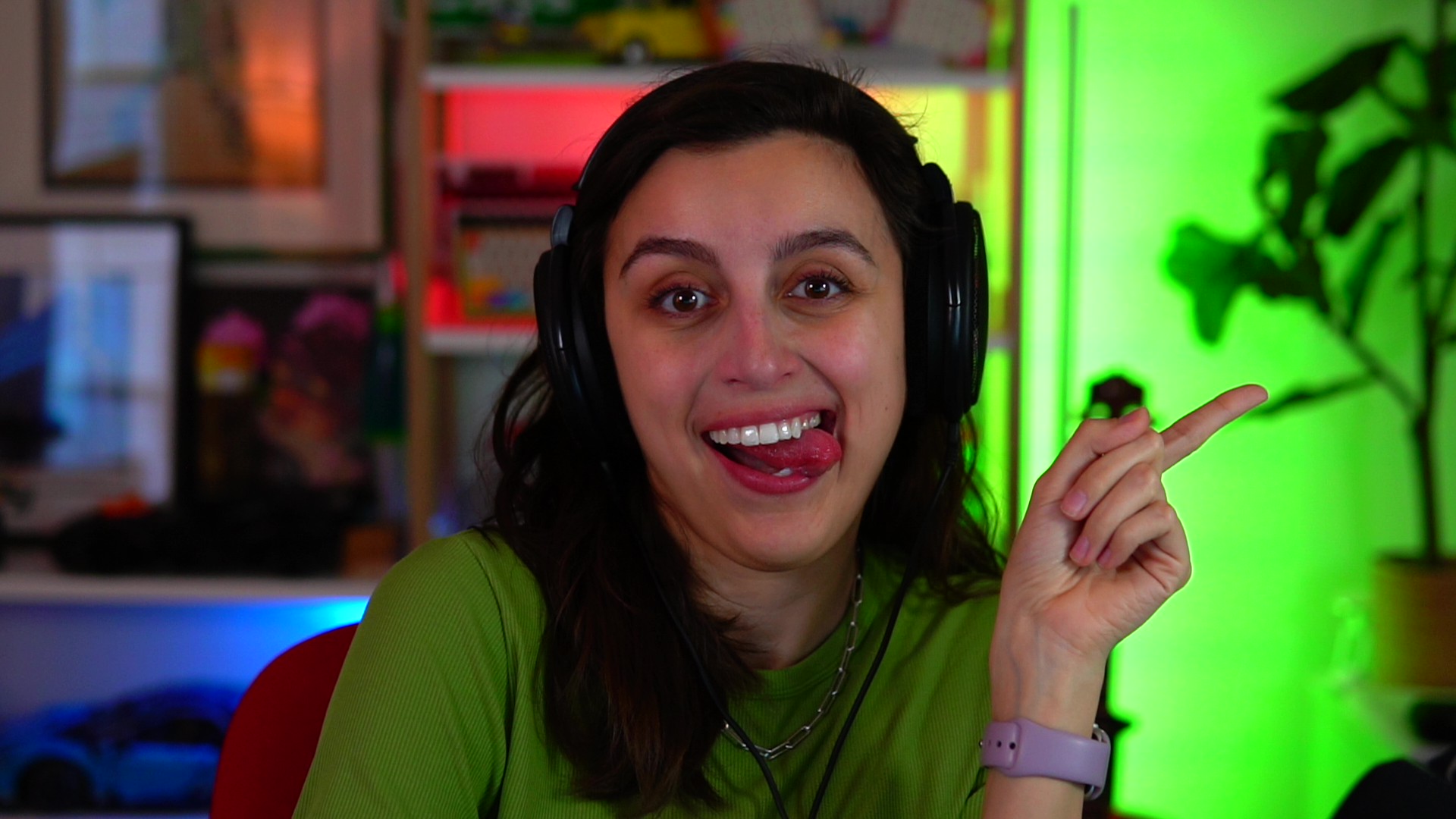
This was my a6100 setup with the 30mm lens:
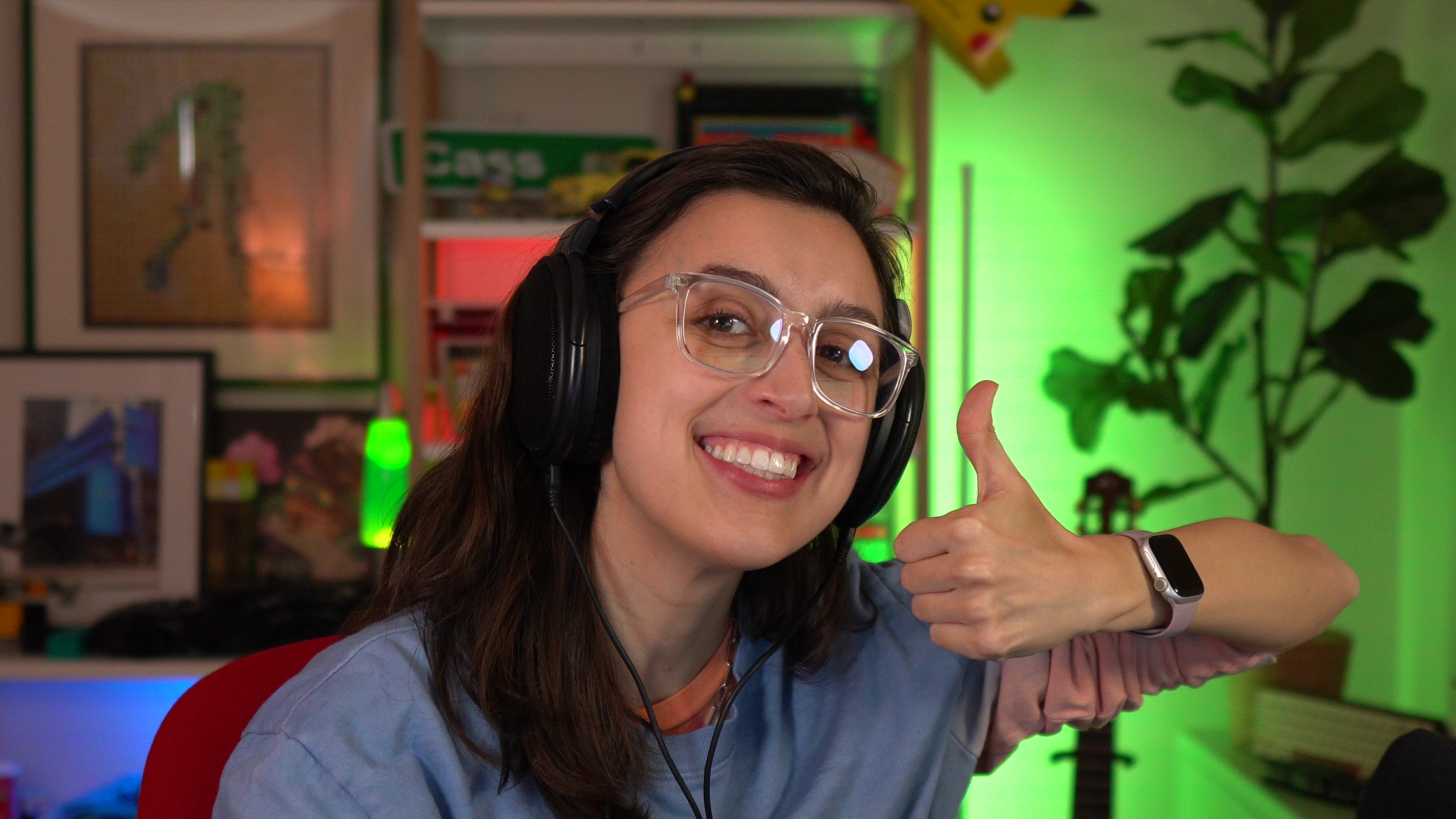
And this is my setup now with the a6400 and 16mm lens!
This took me hours, so I am hoping if you out there need to do a similar setup, it will only take you mere minutes. Toodles!